# Building a serverless Web app on AWS with Amplify, CDK(python) and Nuxt(Part 1)
Hey wassup, Welcome! I'm Rosius
In this blog series, I will be showing you how to build a serverless newspaper web application and host it to the cloud with complete continuous Integration/ continuous deployment pipelines.
We will be using AWS services such as Amplify, CDK(Cloud Development Kit), with VueJs/NuxtJs web frameworks.
The AWS Amplify Console provides a Git-based workflow for deploying and hosting fullstack serverless web applications. A fullstack serverless app consists of a backend built with cloud resources such as GraphQL or REST APIs, file and data storage, and a frontend built with single page application frameworks such as React, Angular, Vue, or Gatsby.
Prerequisite
I assume you know the basics of Amplify, CDK, and Vue.
Here are a couple of tutorials from me, that'll help you get up and running with the above technologies
- [Building Serverless Applications with Amplify,VueJs/NuxtJs, and GraphQL](https://phatrabbitapps.com/building-serverless-applications-with-amplifyvuejsnuxtjs-and-graphqlpart-1)
- [CDK Pipelines: Continuous delivery for AWS CDK applications](https://phatrabbitapps.com/cdk-pipelines-continuous-delivery-for-aws-cdk-applications)
- [Build a GraphQL API on AWS with CDK, Python, AppSync, and DynamoDB](https://phatrabbitapps.com/build-a-graphql-api-on-aws-with-cdk-python-appsync-and-dynamodbpart-1)
- Node Package Manager (NPM), follow the instructions [here](https://www.npmjs.com/get-npm) to install.
- AWS CLI [installed](https://docs.aws.amazon.com/cli/latest/userguide/cli-chap-install.html) and [configured](https://docs.aws.amazon.com/cli/latest/userguide/cli-configure-quickstart.html) with administrator privileges
Install the AWS CDK Toolkit
The AWS CDK Toolkit and CLI is the primary tool for interacting with your AWS CDK app. It will be used to deploy the CDK code to the target AWS environment. To install, use the command below.
```
npm install -g aws-cdk
```
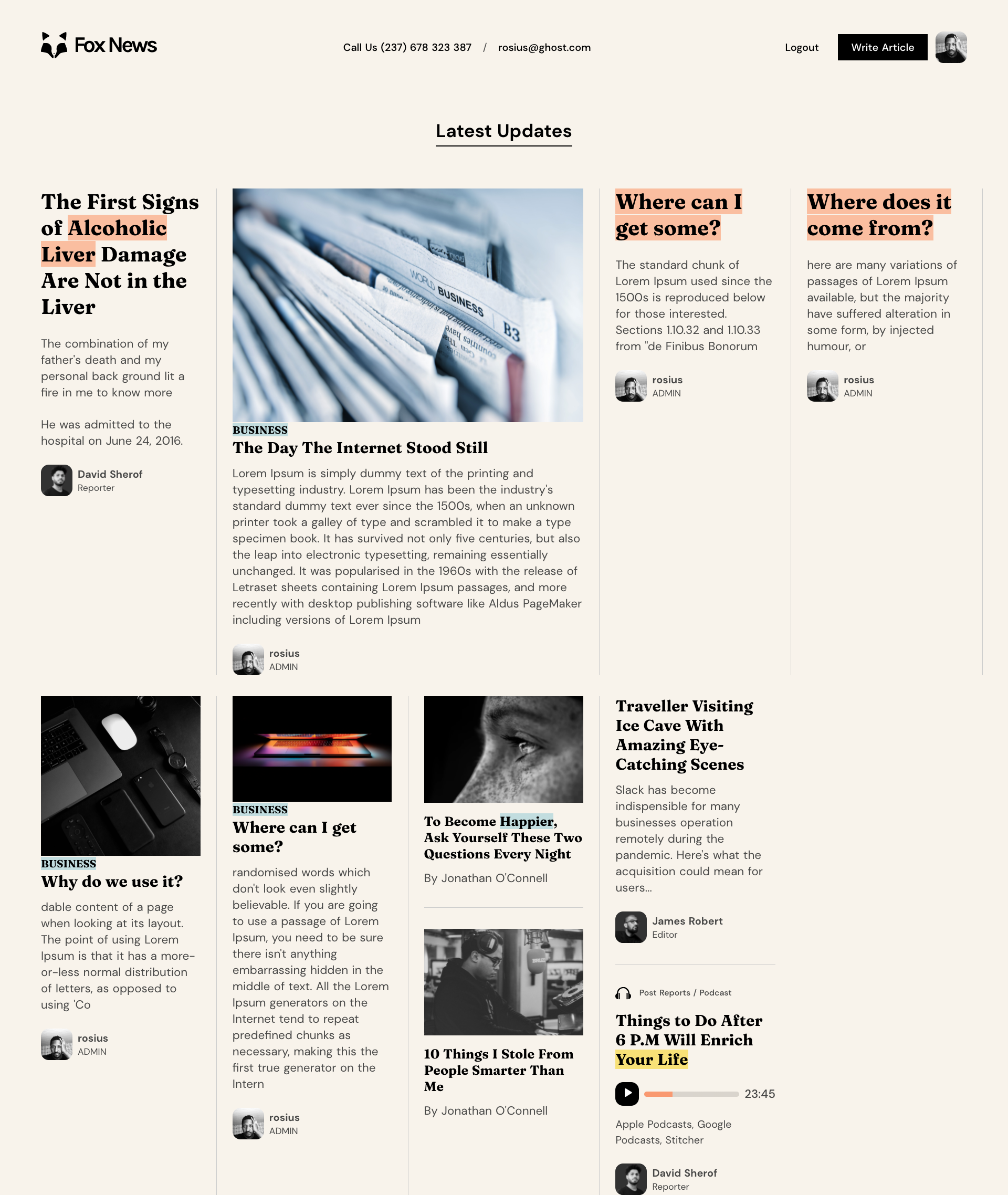
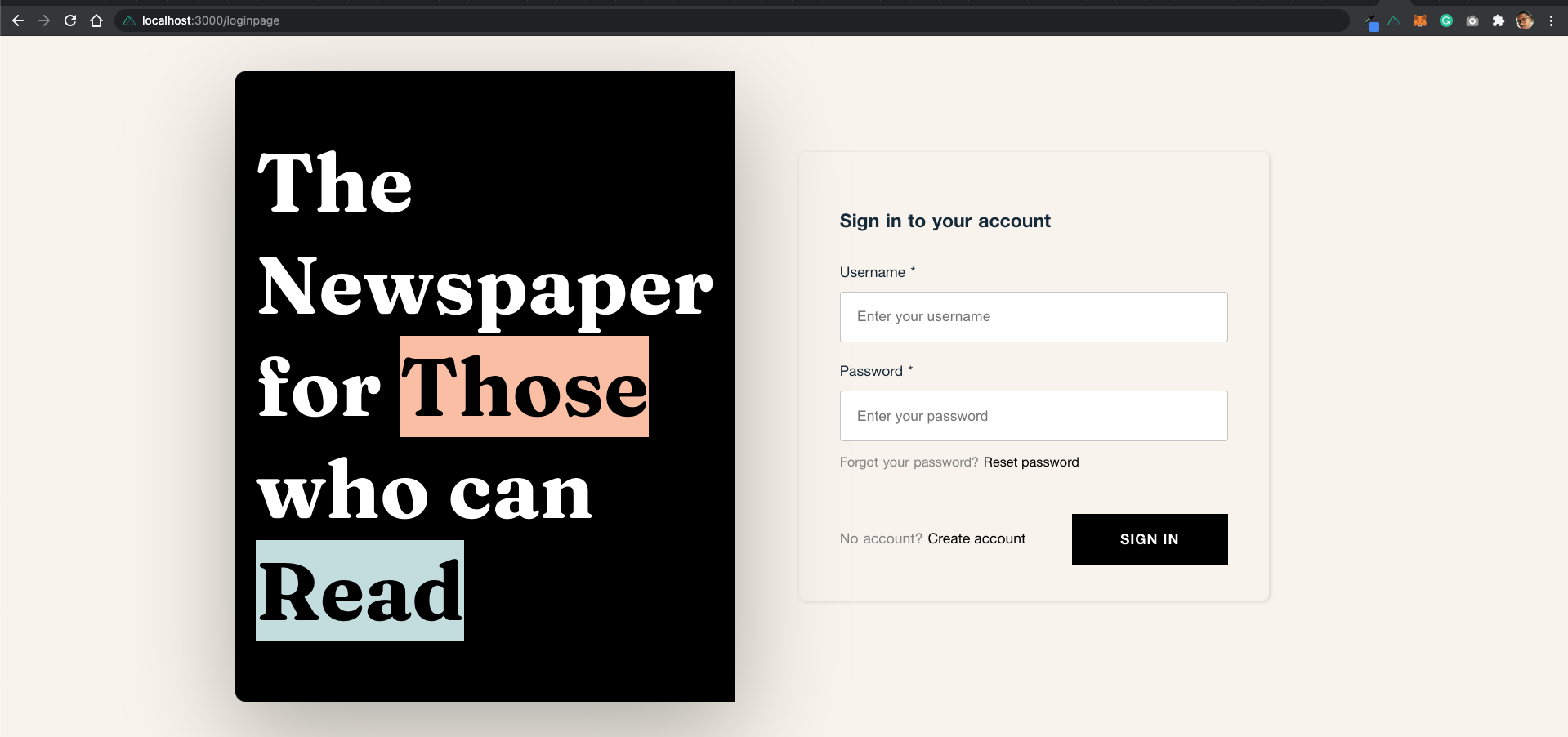
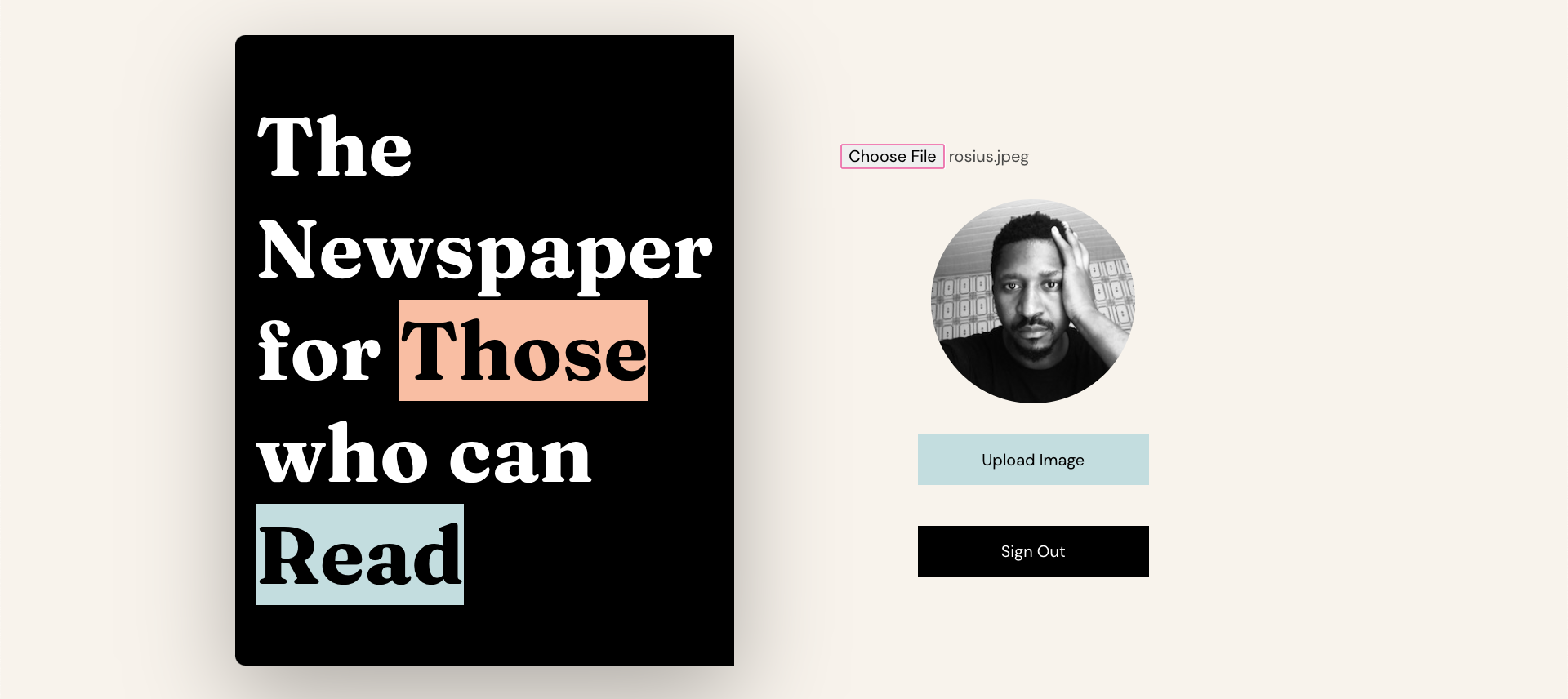
Here are screenshots of the hosted application, so that you know exactly what the final product looks like.

Testing
I couldn't share the live application link here because I deleted the stack once I finished and tested the application.
Amazon doesn't play when it comes to paying for used resources, which is completely normal. Even though I've set my billing threshold at $1😂, yeah.. I'm cheap like that, I still deleted the app.
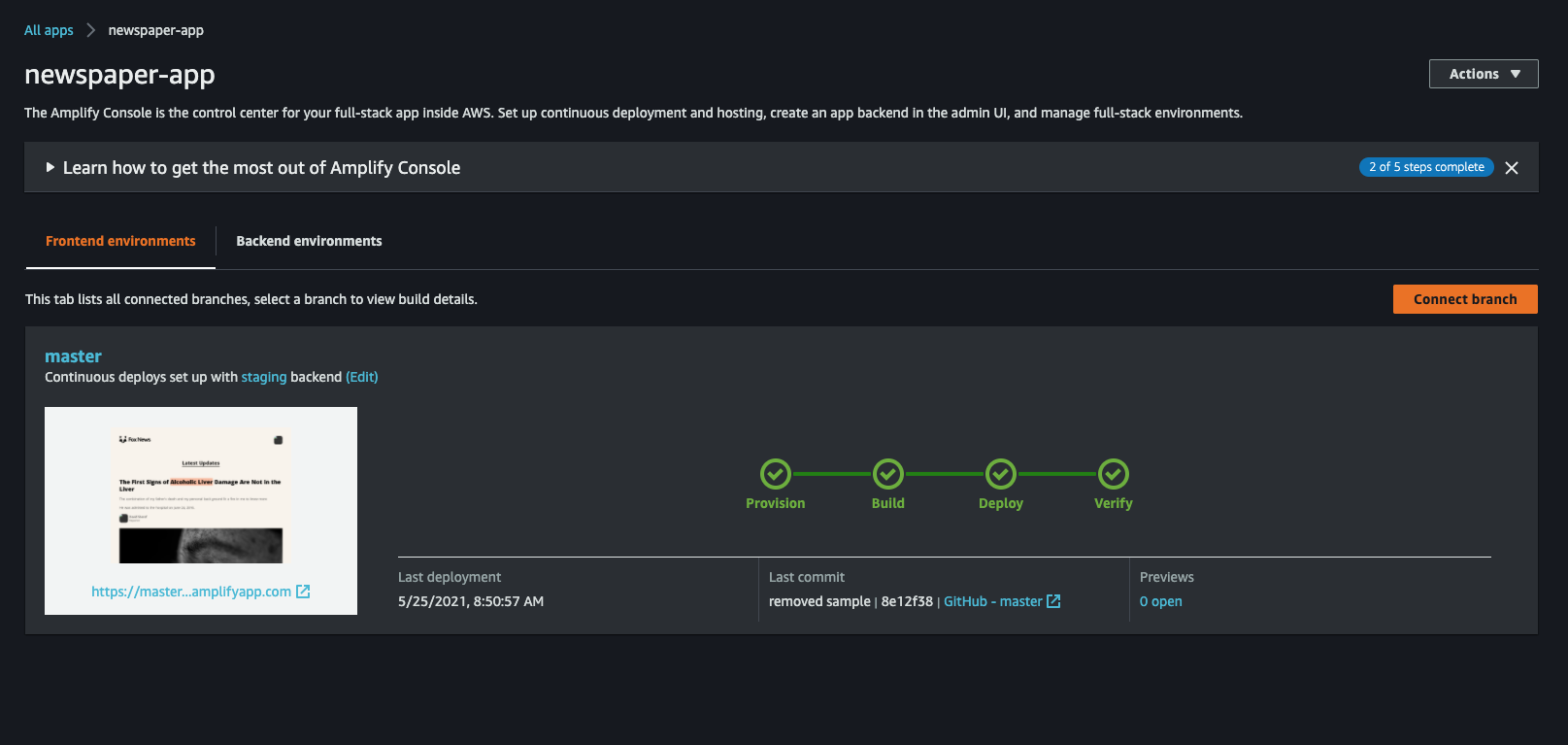
But here's a screenshot of the successful CI/CD deploy.
Introduction
This application can be built and hosted on AWS Amplify without using the AWS Cloud Development Kit(CDK). However, we will be using AWS CDK to develop the infrastructure and the configurations required to host the application on Amplify.
Deploying infrastructure with AWS CDK enables DevOps teams to:
- standardize infrastructure components;
- deploy in a repeatable manner and develop with familiar programming languages. Managed Service Providers that offer website hosting services will also benefit from an automated deployment and management of multiple Amplify applications across various customers.
App Architecture
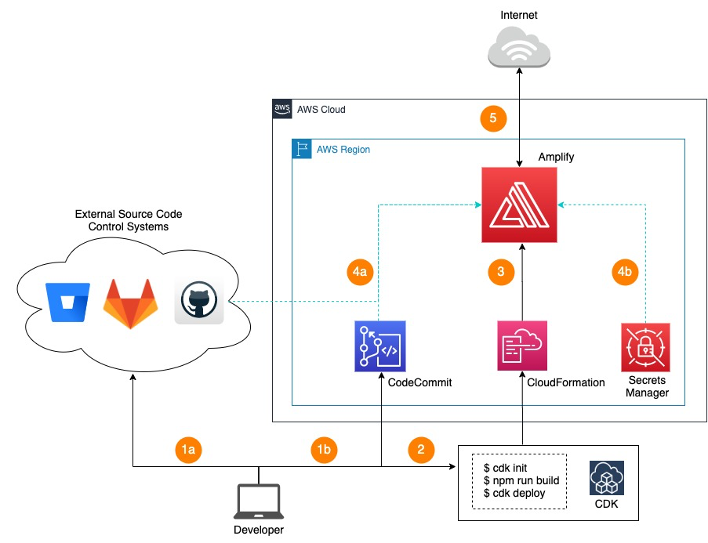
The figure above shows the AWS services and the steps involved in deploying the application using Amplify and CDK.
- The first step is to commit our application to a code repository like Gitlab, Github (1a) or AWS CodeCommit (1b)
Note: Creating Amplify application from source code in BitBucket is not currently supported using CDK. To connect to a BitBucket repository use the Amplify console.
- Setup AWS CDK with python. Build and deploy the CDK code to a target AWS region to create the Amplify application.
- The CDK code will be converted to a CloudFormation template which will be deployed in the target region to create the Amplify Application.
- Any subsequent commits will trigger the Amplify continuous deployment pipeline which will fork the code from Github (4a).
- We will use AWS Secrets Manager to store the personal access token (4b) which provides Amplify the permission to access the repository.
- Amplify will generate a shareable URL that can be used to access the application from the internet. It also provides the flexibility of configuring a custom domain with SSL certificates issued by Amplify.
Creating a Nuxt Applicaiton
Let's begin by creating a nuxt app.
```
npx create-nuxt-app newspaperApp
```
I named my project newspaperApp.
When the script is done running and you've set all the defaults, from the apps root directory, run it with
```
npm run dev
```
Building the infrastructure with AWS CDK
Create a folder called **amplify-infra** inside the newspaperApp folder.
Initialize cdk within that folder(amplify-infra)
We will be building the cdk app with python.
```
cdk init --language python
```
The python code for the cdk app is stored in **amplify-infra-stack.py**
When you initialize a python application with CDK, it comes with a virtual environment. The virtual environment serves as a host for all the dependencies of your application. This prevents dependency conflicts between your application and other applications on
your system.
In order to install the CDK amplify construct, we need to activate the virtual environment.
Run the following commands from the root directory of **amplify-infra**.
For MacOS
```
source .venv/bin/activate
```
For Windows
```
% .venv\Scripts\activate.bat
```
Once activated, install the amplify CDK construct by running the following command
```
pip install aws-cdk.aws-amplify
```
Also, run the following command to install all dependencies in your setup.py file
```
python -m pip install -r requirements.txt
```
Freeze your dependencies in **requirements.txt**
For MacOs
```
python -m pip freeze | grep -v '^[-#]' > requirements.txt
```
For Windows
```
python -m pip freeze | findstr /R /B /V "[-#]" > requirements.txt
```
Open up the project in your IDE and navigate to the **amplify_infra_stack.py** file.
Type in the following code
```
from aws_cdk import core as cdk
import aws_cdk.aws_codebuild as codebuild
import aws_cdk.aws_amplify as amplify
# For consistency with other languages, `cdk` is the preferred import name for
# the CDK's core module. The following line also imports it as `core` for use
# with examples from the CDK Developer's Guide, which are in the process of
# being updated to use `cdk`. You may delete this import if you don't need it.
from aws_cdk import core
class AmplifyInfraStack(cdk.Stack):
def __init__(self, scope: cdk.Construct, construct_id: str, **kwargs) -> None:
super().__init__(scope, construct_id, **kwargs)
amplify_app = amplify.App(self, "newspaper-app",
source_code_provider=amplify.GitHubSourceCodeProvider(
owner=,
repository=,
oauth_token=cdk.SecretValue.secrets_manager()),
)
amplify_app.add_branch("master")
```
What this piece of code does is, it'll always grab the newest commit of your application from GitHub, create a cloud formation template from it and send it to amplify console for CI/CD deployment.
I'm assuming you've created a repository on Github, please replace the with a string of yours, Github repo with yours and with yours. They should all be strings.
If you don't know how to create a secret key, don't worry, I got you. It's well detailed in the article below.
- [CDK Pipelines: Continuous delivery for AWS CDK applications](https://phatrabbitapps.com/cdk-pipelines-continuous-delivery-for-aws-cdk-applications)
Build and deploy the application to the amplify console by running
```
npm run build
cdk synth
cdk deploy
```
I'm assuming you still have your virtual environment activated.
Creation of the Amplify Application
Create a file called **amplify.yml** in **newspaperApp** directory and type in the following configuration. Amplify would need the commands in this file, in order to successfully build and deploy our application.
```
version: 1
frontend:
phases:
preBuild:
commands:
- npm ci
build:
commands:
- npm run generate
- npm run build
artifacts:
baseDirectory: dist
files:
- "**/*"
cache:
paths:
- node_modules/**/*
```
These two commands below would build and generate the folder **dist** which contains our deployable application.
```
- npm run generate
- npm run build
```
From the amplify-infra directory, with an activated virtual environment, run the following commands
```
npm run build
cdk synth
cdk deploy
```
Testing
New commits to the repository will automatically trigger the Amplify continuous deployment pipeline to deploy the changes to the application. To test this with the application, add texts in the landing page of the Nuxt App by modifying the “index.vue” file under the “pages” folder.
Commit your code after that and watch it build and deploy automatically in the amplify console.
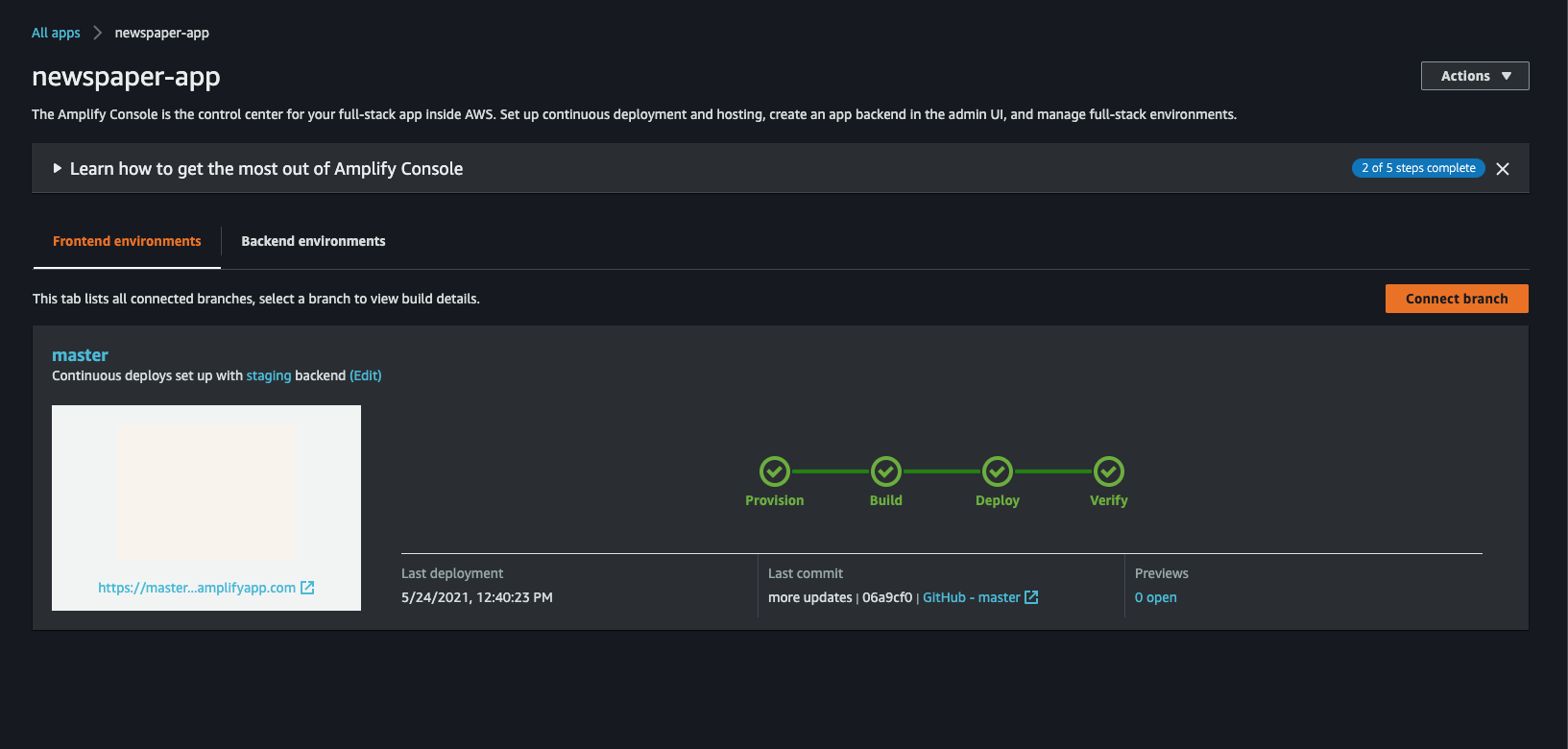
Click on the provided link to view your live app.
If you faced any issues, copy the log and do a google search.
Conclusion
In this blog post, we have covered the steps to get started in deploying an Amplify Application using AWS CDK which we would extend to build a full-stack application using Amplify CLI and Amplify Libraries.
I really do hope I was clear and concise enough, please let me know what you think about this.
See you in Part 2.
Stay safe ✌🏿
References:
https://aws.amazon.com/blogs/mobile/deploying-a-static-website-with-aws-amplify-and-cdk/
https://docs.aws.amazon.com/cdk/latest/guide/cdk_pipeline.html