Build a GraphQL API on AWS with CDK, Python, AppSync, and DynamoDB(Part 1)
For Beginners
Introduction
Today, we'll build and deploy a GraphQL API using- AWS CDK(Cloud Development Kit)
The AWS Cloud Development Kit (AWS CDK) is an open-source software development framework to define your cloud application resources using familiar programming languages - Python
- AppSync
AWS AppSync is a fully managed service that makes it easy to develop GraphQL APIs by handling the heavy lifting of securely connecting to data sources like AWS DynamoDB, Lambda, and more.
Adding caches to improve performance, subscriptions to support real-time updates, and client-side data stores that keep off-line clients in sync are just as easy.
Once deployed, AWS AppSync automatically scales your GraphQL API execution engine up and down to meet API request volumes. - DynamoDB
Amazon DynamoDB is a key-value and document database that delivers single-digit millisecond performance at any scale.
It's a fully managed, multi-region, multi-active, durable database with built-in security, backup and restore, and in-memory caching for internet-scale applications.
DynamoDB can handle more than 10 trillion requests per day and can support peaks of more than 20 million requests per second
AWS CDK provides us with high-level components called constructs that preconfigure cloud resources with proven defaults, so you can build cloud applications without needing to be an expert.
We will be using Appsync and DynamoDB constructs for this exercise
Prerequisites
Make sure you have these dependencies installed.What are we building ?
We want to build an API that allows Gym Trainers to create, update and delete their accounts. They should also be able to retrieve details of other trainers on the system.Access Patterns
- Create Trainer
- Update Trainer
- Delete Trainer
- Get Trainer by ID
- Get All Trainers
Get Started
Create a new folder on your system.mkdir cdkTrainer && cd cdkTrainer
We will use cdk init to create a new Python CDK project:
cdk init app --language python
Once created, you should see a bunch of output. Ignore the warnings if any.
Open up the folder in your favorite IDE and click on the README.md file.
Activating the Virtualenv
[From CDK Workshop] The init script we ran in the last step created a bunch of code to help get us started but it also created a virtual environment within our directory. If you haven’t used virtualenv before, you can find out more here but the bottom line is that they allow you have a self-contained, isolated environment to run Python and install arbitrary packages without polluting your system Python.To take advantage of the virtual environment that was created, you have to activate it within your shell. The generated README file provides all of this information.
To activate your virtualenv on a Linux or MacOs platform
source .venv/bin/activate
For Windows
.venv\Scripts\activate.bat
Once activated, add these python modules, which are cdk constructs to your requirement.txt file.
aws-cdk.core
aws-cdk.aws-appsync
aws-cdk.aws-dynamodb
aws-cdk.aws-iam
Install the modules by running this command
pip install -r requirements.txt
We are creating a GraphQL API which would be assessed by an API_KEY through AppSync and data stored and retrieved from the DynamoDB.
Contructs represent AWS resources which we will be using and they are the basic building blocks of AWS CDK apps. They also encapsulate everything AWS CloudFormation needs to create the component.
Since we will be needing an API_KEY,AppSync, and DynamoDB to create and access our GraphQL API, we've installed the AWS constructs for each of them.
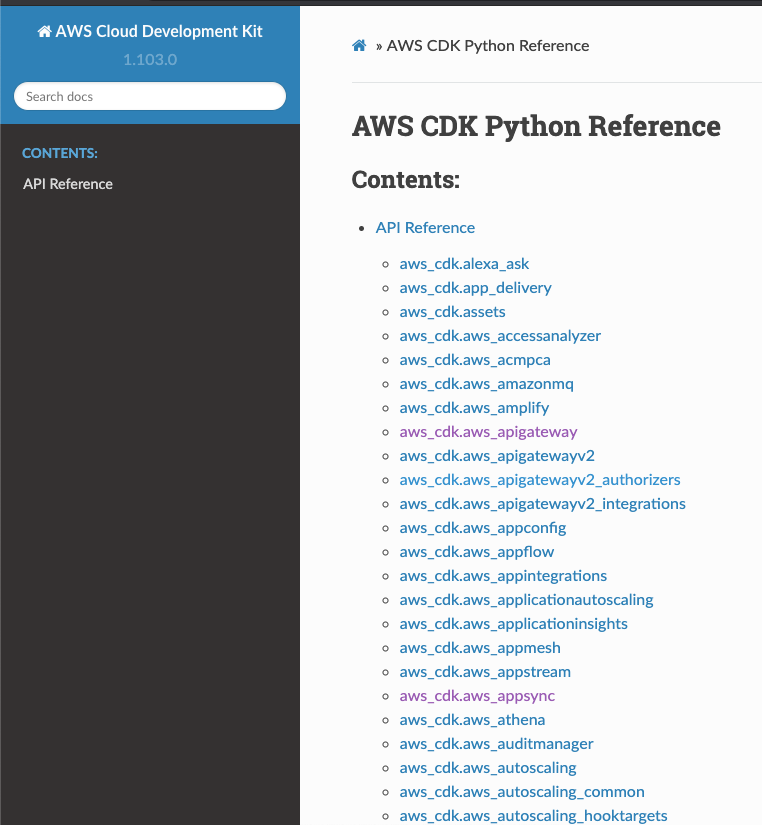
Here's a list of other available constructs.
AWS Python Constructs
Explore your project directory
- .venv - The python virtual environment information discussed earlier.
cdkTrainer — A Python module directory.
cdk_trainer_stack.py—A custom CDK stack construct for use in your CDK application.
app.py — The “main” for this application.
- cdk.json — A configuration file for CDK that defines what executable CDK should run to generate the CDK construct tree.
- README.md — The introductory README for this project.
- requirements.txt—This file is used by pip to install all of the dependencies for your application.
- setup.py — Defines how this Python package would be constructed and what the dependencies are.
app.py
Our app's entry point#!/usr/bin/env python3
import os
from aws_cdk import core as cdk
# For consistency with TypeScript code, `cdk` is the preferred import name for
# the CDK's core module. The following line also imports it as `core` for use
# with examples from the CDK Developer's Guide, which are in the process of
# being updated to use `cdk`. You may delete this import if you don't need it.
from aws_cdk import core
from cdk_trainer.cdk_trainer_stack import CdkTrainerStack
app = core.App()
CdkTrainerStack(app, "CdkTrainerStack",env={
'account':'xxxxxxxxxx',
'region': 'us-east-2'}
# If you don't specify 'env', this stack will be environment-agnostic.
# Account/Region-dependent features and context lookups will not work,
# but a single synthesized template can be deployed anywhere.
# Uncomment the next line to specialize this stack for the AWS Account
# and Region that are implied by the current CLI configuration.
#env=core.Environment(account=os.getenv('CDK_DEFAULT_ACCOUNT'), region=os.getenv('CDK_DEFAULT_REGION')),
# Uncomment the next line if you know exactly what Account and Region you
# want to deploy the stack to. */
#env=core.Environment(account='123456789012', region='us-east-1'),
# For more information, see https://docs.aws.amazon.com/cdk/latest/guide/environments.html
)
app.synth()
This code loads and instantiates an instance of the CdkTrainerStack class from cdkTrainer/cdk_trainer_stack.py file.
Make sure you edit the 'account' and 'region' values.
Importing Modules
If you remember, earlier we installed a couple of modules for your projects.Let's go ahead and import those modules into cdk_trainer_stack.py.
from aws_cdk import core as cdk

from aws_cdk.aws_appsync import (
    CfnGraphQLSchema,
    CfnGraphQLApi,
    CfnApiKey,
    MappingTemplate,
    CfnDataSource, CfnResolver

)
from aws_cdk.aws_dynamodb import (
    Table,
    Attribute,
    AttributeType,
    StreamViewType,

    BillingMode,

)
from aws_cdk.aws_iam import (
    Role,
    ServicePrincipal,
    ManagedPolicy
)
class CdkTrainerStack(cdk.Stack):

    def __init__(self, scope: cdk.Construct, construct_id: str, **kwargs) -> None:
        super().__init__(scope, construct_id, **kwargs)
Initialize GraphQL API
Let's start by initializing our first construct. The GraphQL API.class CdkTrainerStack(cdk.Stack):
def __init__(self, scope: cdk.Construct, construct_id: str, **kwargs) -> None:
super().__init__(scope, construct_id, **kwargs)
# The code that defines your stack goes here
trainers_graphql_api = CfnGraphQLApi(
self,'trainersApi',
name="trainers-api",
authentication_type='API_KEY'
)
A few things to note ....
- trainserApi is the construct_id
- name and authentication_type are keyword arguments(**kwargs)
A Word About Constructs and Contructors
As you can see, the class constructors of both CdkTrainerStack and CfnGraphQLApi (and many other classes in the CDK) have the signature (scope, id, **kwargs).
This is because all of these classes are constructs as mentioned earlier. Constructs are the basic building block of CDK apps. They represent abstract “cloud components” which can be composed together into higher-level abstractions via scopes. Scopes can include constructs, which in turn can include other constructs, etc.
Constructs are always created in the scope of another construct and must always have an identifier that must be unique within the scope it’s created. Therefore, construct initializers (constructors) will always have the following signature:
- scope: the first argument is always the scope in which this construct is created. In almost all cases, you’ll be defining constructs within the scope of current construct, which means you’ll usually just want to pass self for the first argument. Make a habit out of it.
- id: the second argument is the local identity of the construct. It’s an ID that has to be unique amongst construct within the same scope. The CDK uses this identity to calculate the CloudFormation Logical ID for each resource defined within this scope. To read more about IDs in the CDK, see the CDK user manual.
- kwargs: the last (sometimes optional) arguments is always a set of initialization arguments. Those are specific to each construct.
For example, the CfnGraphQLApi construct accepts arguments like name,authentication_type etc.
You can explore the various options using your IDE’s auto-complete or in the online documentation.
Initialize the GraphQL Schema constructs
Let's go ahead and initialize other constructs for our applicationtable_name = "trainers
dirname = os.path.dirname(__file__)
with open(os.path.join(dirname, "../graphql/schema.txt"), 'r') as file:
data_schema = file.read().replace('\n', '')
CfnApiKey(
self,'TrainersApiKey',
api_id = trainers_graphql_api.attr_api_id
)
api_schema = CfnGraphQLSchema(
self,"TrainersSchema",
api_id = trainers_graphql_api.attr_api_id,
definition=data_schema
)
We have to define the schema for your application and feed it as a string to the definition argument of CfnGraphQLSchema.
Within the root folder of your project, create a folder called GraphQl, then create a file within it called schema.txt and type in the following schema.
            type Trainers {

             id: ID!
             firstName:String!
             lastName:String!
             age:Int!
             specialty:Specialty

                  }


                enum Specialty{
                         BODYBUILDING,
                        YOUTHFITNESS,
                        SENIORFITNESS,
                        CORRECTIVEEXERCISE

                         }

               type PaginatedTrainers {
                    items: [Trainers!]!
                    nextToken: String
                }

                type Query {
                    allTrainers(limit: Int, nextToken: String): PaginatedTrainers!
                    getTrainer(id: ID!): Trainers
                }
                type Mutation {
                    createTrainer( firstName:String!,
                                             lastName:String!,
                                             age:Int!,
                                             specialty:Specialty): Trainers
                    deleteTrainer(id: ID!): Trainers
                    updateTrainers(id: ID!,
                                              firstName:String,
                                              lastName:String,
                                             age:Int,
                                             specialty:Specialty):Trainers

                }
                type Schema {
                    query: Query
                    mutation: Mutation
                }
Initialize the DataSource constructs
Firstly, we will create a table with primary key as id, assigned a 'AmazonDynamoDBFullAccess' role to the table, and initialize our Datasource.trainers_table = Table(
self, 'TrainersTable',
table_name=table_name,
partition_key=Attribute(
name='id',
type=AttributeType.STRING,
),
billing_mode=BillingMode.PAY_PER_REQUEST,
stream=StreamViewType.NEW_IMAGE,
# The default removal policy is RETAIN, which means that CDK
# destroy will not attempt to delete the new table, and it will
# remain in your account until manually deleted. By setting the
# policy to DESTROY, cdk destroy will delete the table (even if it
# has data in it)
removal_policy=core.RemovalPolicy.DESTROY # NOT recommended for production code
)
trainers_table_role = Role(
self, 'TrainersDynamoDBRole',
assumed_by=ServicePrincipal('appsync.amazonaws.com')
)
trainers_table_role.add_managed_policy(
ManagedPolicy.from_aws_managed_policy_name(
'AmazonDynamoDBFullAccess'
)
)
data_source = CfnDataSource(
self, 'TrainersDataSource',
api_id=trainers_graphql_api.attr_api_id,
name='TrainersDynamoDataSource',
type='AMAZON_DYNAMODB',
dynamo_db_config=CfnDataSource.DynamoDBConfigProperty(
table_name=trainers_table.table_name,
aws_region=self.region
),
service_role_arn=trainers_table_role.role_arn
)
With all these in place, it's time to create our resolvers.
Resolvers simply connect the fields of our user type in the above schema to a datasource, in this case, DynamoDB.
Conclusion
Let's stop here and continue in the next post. Meanwhile, In this post, We- Introduced the concept of Infrasture as Code(IaC) and talked a little bit about CDK.
- Created a CDK Project and installed all the AWS constructs needed to build the application.
- Initialized the CfnGraphQLApi,CfnGraphQLSchema and CfnDataSource Constructs.
- Created an Amazon DynamoDB database, with primary Key as id.
- Added a GraphQL Schema and fed it as a string to the definition argument of the CfnGraphQLSchema.
Let me know what you think about this piece. I'll appreciate any feedback.
Stay Safe ✌🏿
About the author
I love creating and writing about the creation of software.
Comments
Join the discussionLooks cool! I would be interested in how you create the VTL templates or lambda resolvers :)
Checkout part 2 https://phatrabbitapps.com/build-a-graphql-api-on-aws-with-cdk-python-appsync-and-dynamodbpart-2


